ZHIQIAN
DC5-24V bluetooth Smart APP Control Magic Color Controller for 2811 2812 LED Pixel Strip Light
DC5-24V bluetooth Smart APP Control Magic Color Controller for 2811 2812 LED Pixel Strip Light
Regular price
$418.00 USD
Regular price
$696.67 USD
Sale price
$418.00 USD
Unit price
per
Couldn't load pickup availability
Specification:
Working voltage : DC5-24V
Working current:?20mA~130mA
Working temperature: -20a??~60a??
Remote distance :30 meters
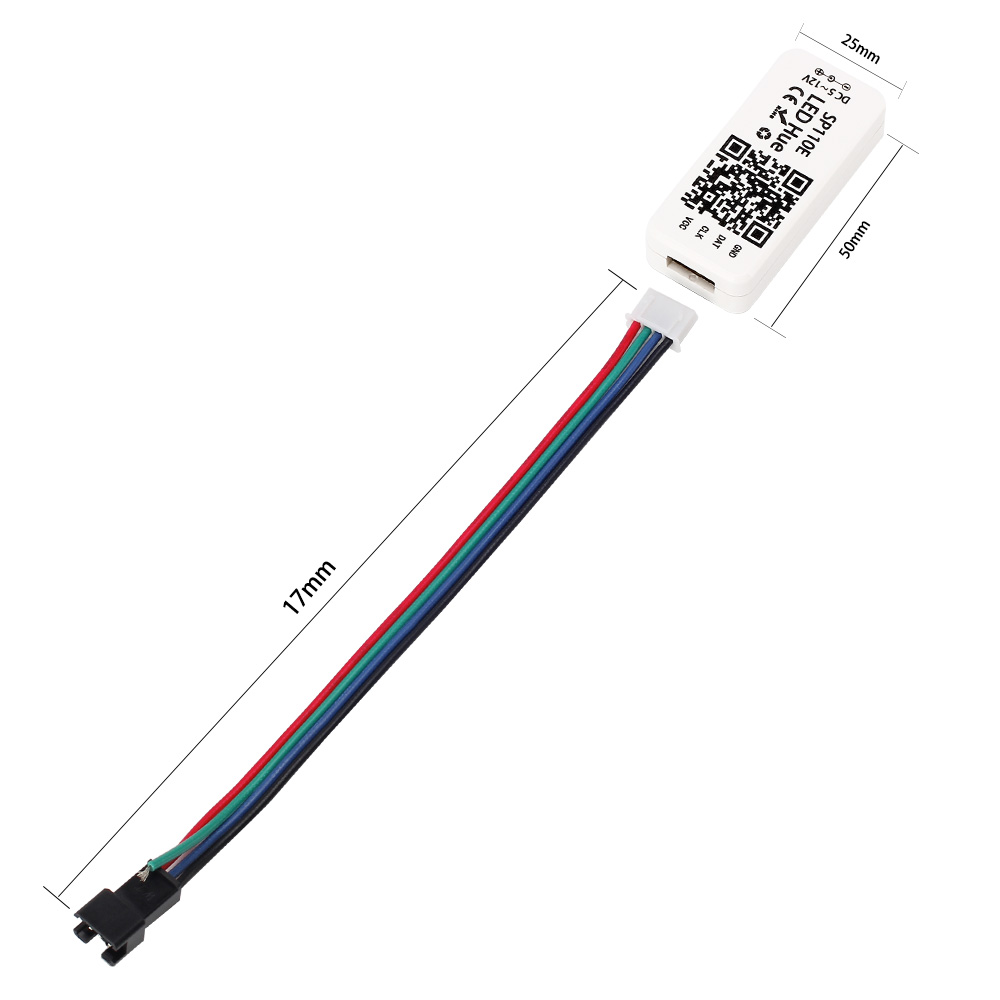
Product size: 85mm*45mm*22mm
?
Feature:
1.?Long?distance?APP remote control via WIFI;
2.?Support routing mode(AP)?and LAN connection mode(STA);
3. Support almost every kind of one-wire or two-wire LED driver IC ;
4. Brightness adjustable,?With 180?kinds of patterns?and 8 kind of color adjustable patterns;
5.Creatively using?from-image-to-effect?method for user to?DIY?any effect;
6. Support setting pixel number?and segments number,?able to control up to 2048?pixels;
5. DC5V~12V wide?range?working voltage,?preventing reverse connection of?power supply;
6. User setting saving;
?
App?control:
?Both IOS?version?and Android OS?version are available. (hardware should support?WIFI)
Requires?IOS version?10.0?or later;
Requires Android?version?4.4?or later;
Searcha??LEDHuea??in App or Google pay?or scan this?QR code to download and install the App:
?
Working m ode and c onnecting:
AP(Access Point) mode:
Controller and Phone connect directly, controller works as an access point.
Connect steps:
1.When the device is not connected to any WIFI network, power on the controller and wait for 20s?and then controller will switch into? AP?mode ;
2.In the WIFI setting page,?find and connect the controller(named like? SP108E_xxx, the default pin code is 12345678),
3.Open the LED Shop App,?then the controller will be showed on the device list;
?
STA(Station)? mode:
Controller and phone are in one same WIFI network, in this network, users can operate the controller smoothly.
Connect steps:
1.?When the device is not connected to any WIFI network,power on the controller,?controller?will be remain in?Wait-For-Connet?mode for 20 seconds;
2.?Make sure that your phone is connected to a WIFI network, Open LED Shop APP, pressing the?Add Device?button,
input the WIFI pin code, then press the?OK?to confirm and wait for the configure processing finish;
3.?When controller successfully enter the WIFI network, it will be showed on the device list;
4.?User can select the controller and remove it out of the network by pressing the?Remove Device?button,?then the controller will switch into AP mode.
Package included:
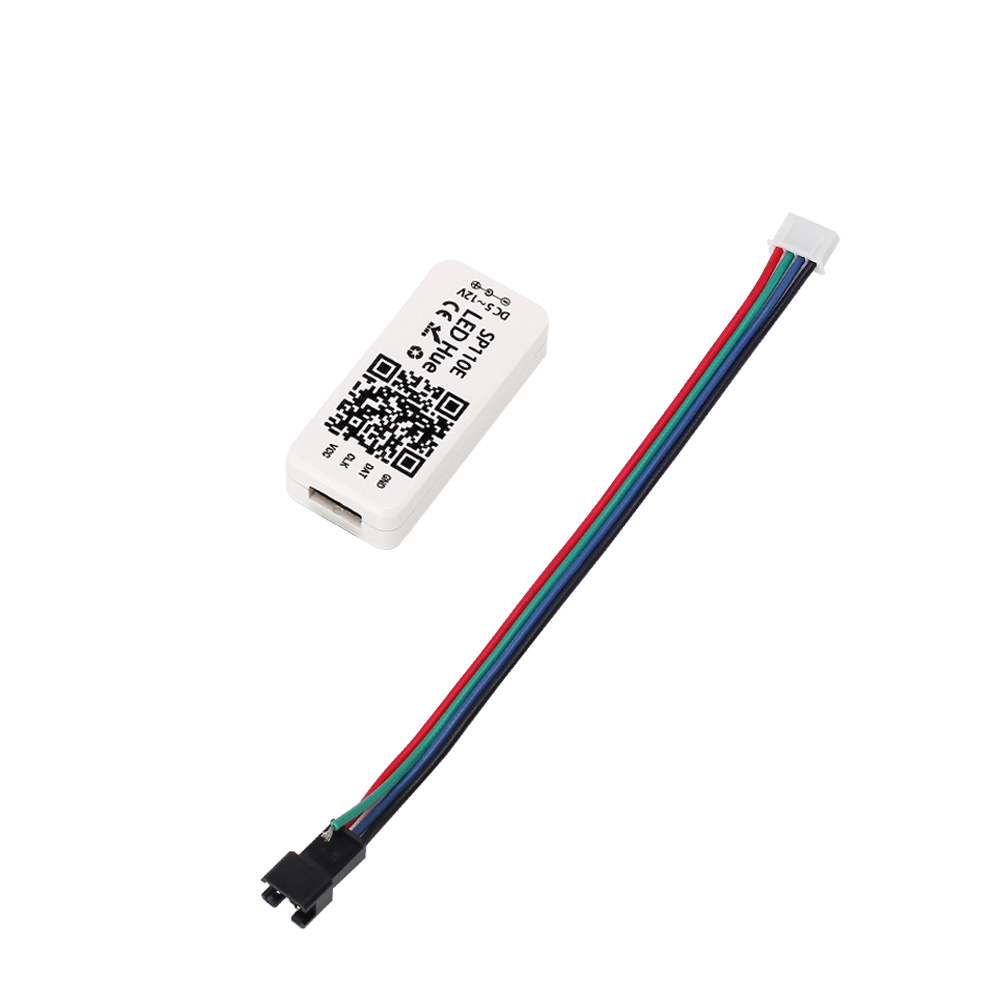
1 * bluetooth led controller





Working voltage : DC5-24V
Working current:?20mA~130mA
Working temperature: -20a??~60a??
Remote distance :30 meters
Product size: 85mm*45mm*22mm
?
Feature:
1.?Long?distance?APP remote control via WIFI;
2.?Support routing mode(AP)?and LAN connection mode(STA);
3. Support almost every kind of one-wire or two-wire LED driver IC ;
4. Brightness adjustable,?With 180?kinds of patterns?and 8 kind of color adjustable patterns;
5.Creatively using?from-image-to-effect?method for user to?DIY?any effect;
6. Support setting pixel number?and segments number,?able to control up to 2048?pixels;
5. DC5V~12V wide?range?working voltage,?preventing reverse connection of?power supply;
6. User setting saving;
?
App?control:
?Both IOS?version?and Android OS?version are available. (hardware should support?WIFI)
Requires?IOS version?10.0?or later;
Requires Android?version?4.4?or later;
Searcha??LEDHuea??in App or Google pay?or scan this?QR code to download and install the App:
?
Working m ode and c onnecting:
AP(Access Point) mode:
Controller and Phone connect directly, controller works as an access point.
Connect steps:
1.When the device is not connected to any WIFI network, power on the controller and wait for 20s?and then controller will switch into? AP?mode ;
2.In the WIFI setting page,?find and connect the controller(named like? SP108E_xxx, the default pin code is 12345678),
3.Open the LED Shop App,?then the controller will be showed on the device list;
?
STA(Station)? mode:
Controller and phone are in one same WIFI network, in this network, users can operate the controller smoothly.
Connect steps:
1.?When the device is not connected to any WIFI network,power on the controller,?controller?will be remain in?Wait-For-Connet?mode for 20 seconds;
2.?Make sure that your phone is connected to a WIFI network, Open LED Shop APP, pressing the?Add Device?button,
input the WIFI pin code, then press the?OK?to confirm and wait for the configure processing finish;
3.?When controller successfully enter the WIFI network, it will be showed on the device list;
4.?User can select the controller and remove it out of the network by pressing the?Remove Device?button,?then the controller will switch into AP mode.
Package included:
1 * bluetooth led controller