ZHIQIAN
XYS3580 DC DC Buck Boost Converter CC CV 0.6-36V 5A Power Module Adjustable Regulated Laboratory Pow
XYS3580 DC DC Buck Boost Converter CC CV 0.6-36V 5A Power Module Adjustable Regulated Laboratory Pow
Couldn't load pickup availability
New product XYS3606W is on sale! ! !
Synchronous rectification efficiency 95%
Current 6A
Power 216W
XYS3606W Buying Link:
XYS3580?Custom CNC Shell:

Product application:
1. It is used as a common voltage Buck-Boost power supply with over-voltage / over-current / over power / over temperature / under voltage protection

2. The product has constant current function, which can charge the rechargeable battery within 0.6V~36V;
Charging steps:
(1) determine the floating charge voltage and charging current of your rechargeable battery; (if the parameter of lithium battery is 3.7V/2200mAh, the floating charge voltage is 4.2V; if it is 12V rechargeable battery, generally set the floating charge voltage to about 14V)
(2) under no-load condition, set the output voltage to floating charge voltage; (if 3.7V lithium battery is charged, adjust the output voltage to 4.2V)
(3) set the charging current (constant current value) and set the current directly.
(4) connect the battery for charging.

Note: when charging the battery, the positive and negative poles of the battery should not be connected reversely, which is easy to burn the product!
3. The product has constant current function, which can directly drive 0.6-30V, 0-15W LED lamp;
To drive the LED lamp:
(1) determine the working current and maximum working voltage of the led you need to drive;
(2) under no-load condition, set the voltage value and current value to make the output voltage reach the maximum working voltage and current of LED (Note: calculate the power when setting the current, charge within the power range, use over power, and the product will enter the protection state.)
(3) connect led and test the machine.
This product can adjust the constant current value (between 0 - working current) to realize the LED`s stepless dimming and no stroboscopic!!

Details of interface and key functions:
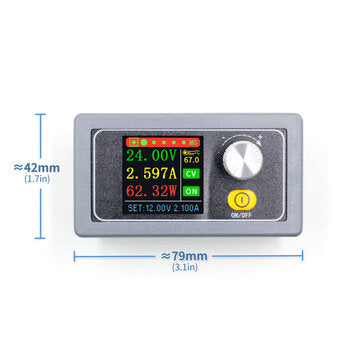
Short press the ON/OFF button to turn on and off the power output, long press the ON/OFF button for 2 seconds, the screen can rotate, 360 ? ̄ four-way rotation.Turn the encoding potentiometer to turn the page quickly.

Press the code potentiometer key briefly to activate the parameter (voltage / current) to be set;
Short press the key of the coding potentiometer to switch between full selection and bit selection;
When all is selected, the blue display will be reversed, and the set voltage / current will be switched through the rotary encoder;
After bit selection, the corresponding bit will be displayed in reverse blue, and parameters will be set by rotating encoder;
After the setting is completed, long press the key of the encoding potentiometer for 2 seconds or more, and no key operation will automatically exit the setting;
All parameters are saved automatically after exiting.
Press the encoding potentiometer key for a short time, and select capacity / energy / time for all. After selecting all, the corresponding one will be displayed in reverse blue. Switch the parameters to be cleared by rotating the encoder. After selecting, press the encoding potentiometer key for a short time to clear the corresponding parameters. After selecting, press the encoding potentiometer key for a long time for 2 seconds or more, and the operation without keys will exit automatically.


Press the key of coding potentiometer briefly to activate the parameter to be set;
The switch of parameter name and bit selection is realized by short pressing the key of coded potentiometer;
After selecting the parameter name, the parameter name will be displayed in reverse blue, and the parameter to be set will be switched by rotating the encoding potentiometer;
After bit selection, the corresponding bit will be displayed in reverse blue, and parameters will be set by rotating encoder;
After the setting is completed, long press the key of the encoding potentiometer for 2 seconds or more, and no key operation will automatically exit the setting;